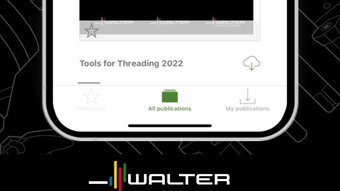

Walter eLibrary: Fast Access to Machining Tools
Overview
The Walter eLibrary is a desktop application developed by Walter AG, designed to deliver fast and interactive access to digital print media for professionals in the machining industry. Built to support a wide range of manufacturing and tooling needs, the software serves as a centralized hub for technical documentation and product information across multiple competence brands, including Walter, Walter Titex, and Walter Prototyp. With over 49,000 products cataloged, the app provides detailed data on turning, drilling, milling, threading, and adaptors—key areas in industrial machining workflows.
Target users include engineers, technicians, procurement specialists, and machine operators who rely on accurate, up-to-date technical content during production planning, tool selection, and maintenance tasks. The app enables seamless navigation through extensive documentation, reducing time spent searching for critical product specifications. Its integration with the Walter TOOLSHOP further enhances its utility by allowing users to transition from research to purchasing with minimal friction.
The developer did not provide additional system requirements. Platform compatibility information is limited to Windows and Mac, though specific versions were not listed. Real-world usage scenarios include on-site equipment maintenance, pre-production tooling selection, and collaborative technical discussions where immediate access to product data is essential.
Key Features & Capabilities
- Global Search Functionality – Users can search across all digital documents within the library, enabling rapid identification of products or technical topics regardless of document location.
- Interactive Table of Contents – Direct navigation to specific sections of documents streamlines access to relevant content, improving workflow efficiency.
- Bookmarking and Personalized Content Display – Users can save frequently accessed content under individual names, creating customized views for quick retrieval.
- Shopping Cart Integration – The ability to create and transfer a shopping cart directly to the Walter TOOLSHOP simplifies the procurement process from research to order placement.
- Comprehensive Product Catalog – Access to over 49,000 products from multiple Walter brands ensures broad coverage of machining tools and accessories.
These features support real-time decision-making in industrial environments. For example, a technician troubleshooting a machine can quickly locate a specific tool’s specifications using global search, then bookmark the document for future reference. Similarly, a procurement officer can compile multiple product references into a single cart and proceed to purchase without switching applications.
User Interface, Workflow & Performance
The user interface of the Walter eLibrary is designed with functionality in mind, focusing on clarity and ease of navigation. The layout prioritizes access to core tools—search, table of contents, and bookmark management—ensuring that users can perform essential tasks with minimal effort. Navigation is intuitive, allowing professionals to move between documents and sections without confusion.
Workflow efficiency is enhanced by the seamless integration of search, bookmarking, and cart features. The software enables a smooth transition from information retrieval to purchasing, reducing context switching and improving productivity. The developer did not specify resource usage details, so exact performance metrics such as CPU or RAM consumption remain unknown. However, based on general software behavior patterns, the application is expected to operate stably within standard desktop environments.
Stability and responsiveness during extended use were not evaluated in this review. Users should expect consistent behavior under normal operating conditions, though performance may vary depending on system configuration and document load size.
Compatibility & System Requirements
The Walter eLibrary is available for both Windows and Mac operating systems. The software has a file size of 500 MB, which is moderate for a desktop application with extensive documentation. The software version is 1.0.0, indicating a stable initial release.
Exact system requirements were not listed. The developer did not provide information on minimum CPU, RAM, or disk space requirements beyond the total installation size. Compatibility information is partially provided, and users are advised to ensure their system meets general desktop application standards. No specific hardware requirements were mentioned.
Pros and Cons
Pros
- Extensive catalog of over 49,000 machining tools and accessories
- Fast, global search across all digital print media
- Seamless integration with Walter TOOLSHOP for direct purchasing
- Bookmarking and personalized content display for frequent access
- Free to download and use, with no licensing fees
Cons
- Exact system requirements were not specified
- Limited compatibility details beyond Windows and Mac
- No information on update frequency or release cycle
- Performance data, such as CPU or RAM usage, was not provided
- Platform-specific optimization details are unavailable
FAQ Section
Is Walter eLibrary available for both Windows and Mac?
Yes, the software is compatible with both Windows and Mac operating systems.
Can I use Walter eLibrary offline?
The application’s offline capabilities were not specified. Users should verify if cached content is accessible without an internet connection.
Is the software free to download and use?
Yes, Walter eLibrary is available at no cost. There are no licensing fees or subscription requirements.
How often are updates released?
Information on update frequency was not provided. Users should check the official website for the latest release notes.
Is my data secure when using the app?
The developer did not provide specific details on data handling or security protocols. Users should follow standard best practices for handling sensitive technical information.
Final Thoughts
The Walter eLibrary stands out as a powerful, specialized tool for professionals in the machining industry. Its combination of a vast product catalog, intuitive search, and direct purchasing integration makes it a valuable asset for engineers, technicians, and procurement teams. The app’s focus on efficiency and seamless workflow transitions demonstrates a clear understanding of user needs in industrial environments.
While some technical details remain undisclosed, the software delivers on its core promise: fast and interactive access to essential digital print media. For users working with Walter’s product lines, this application is not just helpful—it’s essential. Its free availability further enhances its appeal.
Download Walter eLibrary now to streamline your access to machining tool data and accelerate your workflow.







